Catch exposed secrets at the source

Consolidate secret scanning with SAST and SCA to catch leaked API keys, credentials, and tokens before they reach production.
Loved by security teams, painless for developers at:

How it works

Detect exposed secrets
Scans code for hardcoded secrets, API keys, and other sensitive data.
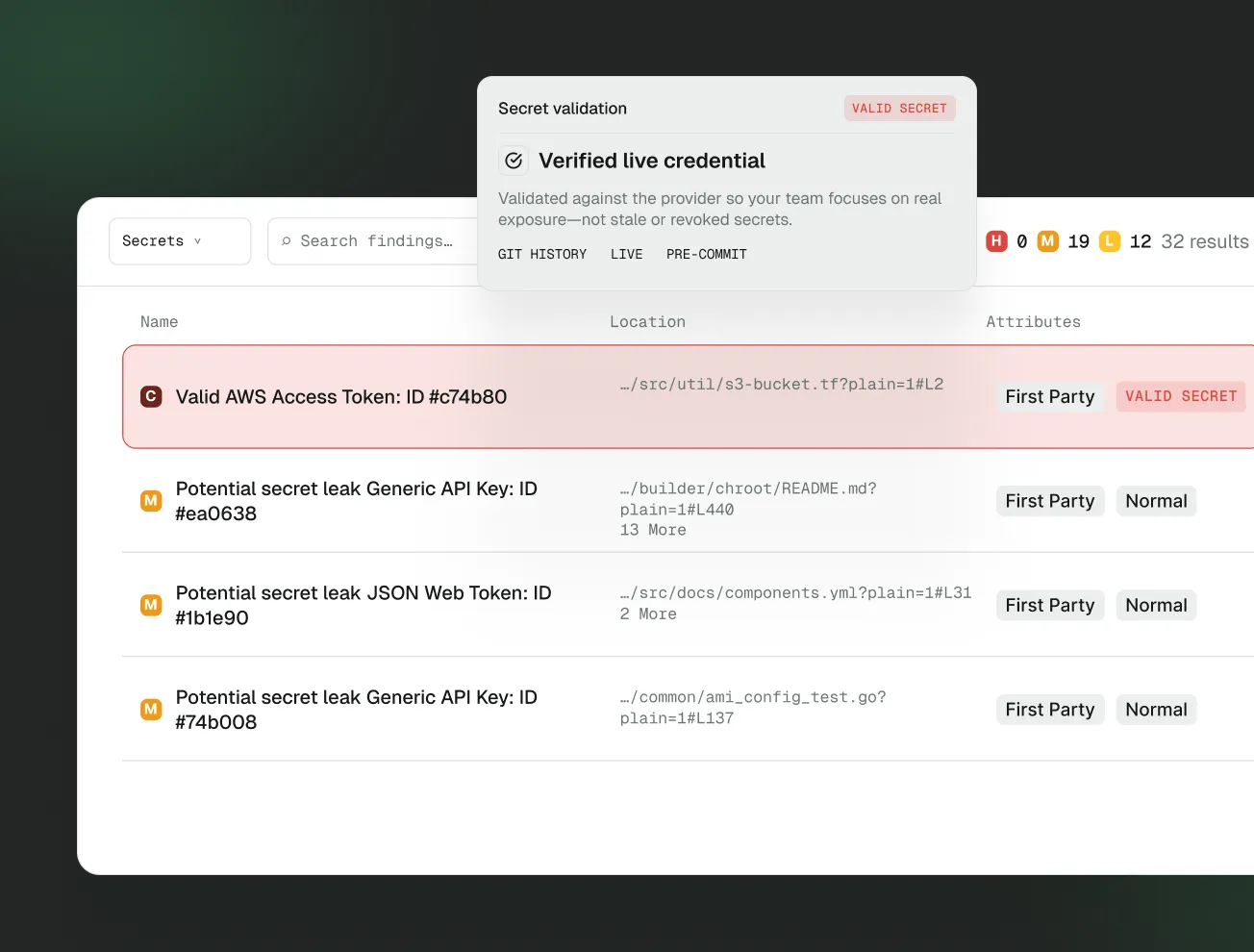
Validate active credentials
Reduce false positives by validating which credentials are active.
Fix at the source
Surface issues right where developers work in the IDE or code review.
Find
Detect exposed secrets in code
Stop secrets from shipping to production by integrating secret scanning into your CI/CD pipelines.
Scan thousands of lines of code and look for hardcoded secrets, API keys, and other sensitive data in just a few minutes
Validate if exposed secrets are still active are still active so you can keep developers focused on critical issues
Write custom rules to detect secrets unique to your internal services and infrastructure
Fix
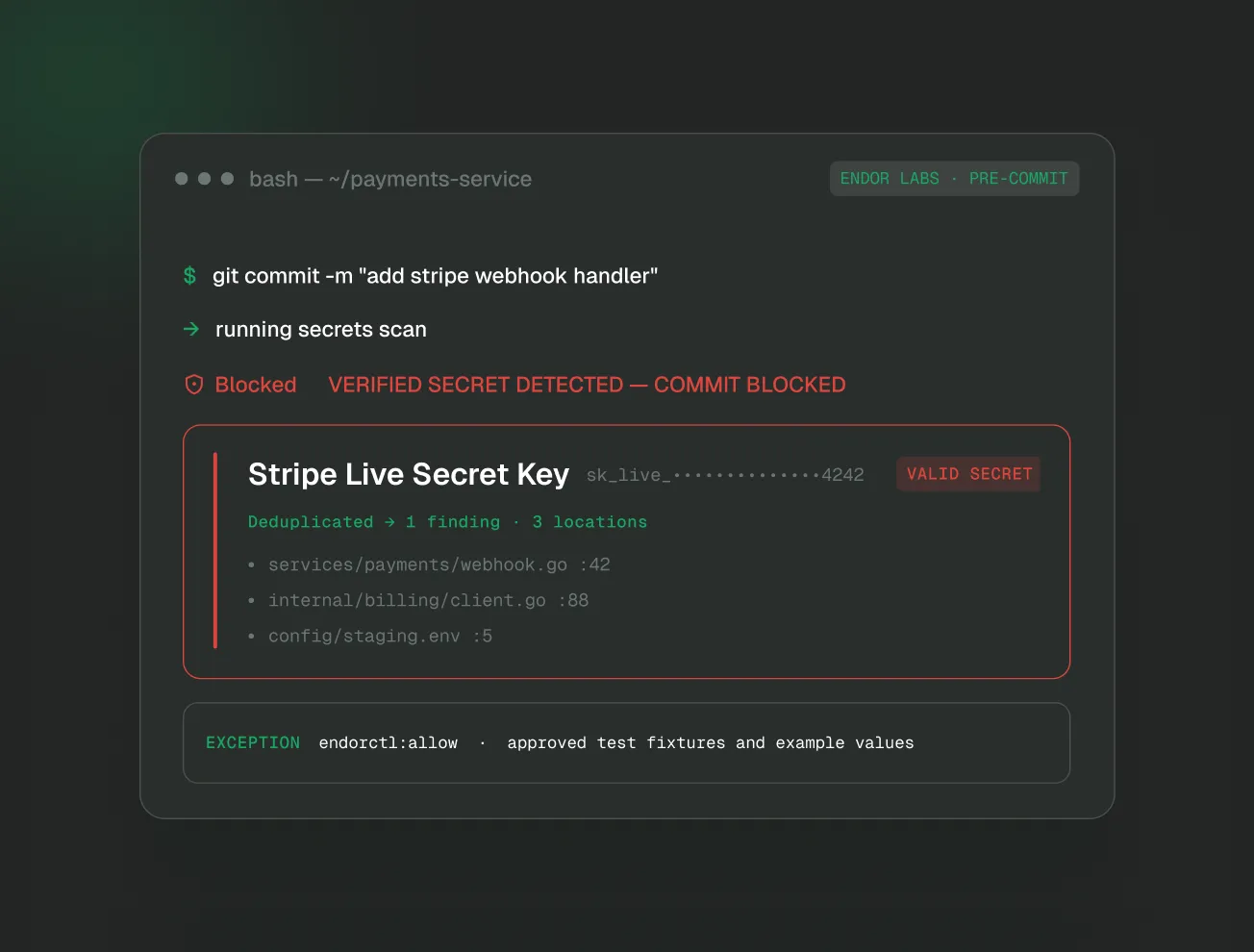
Prevent secrets leaks in development
Help developers identify and remove sensitive information before it can be exploited.
Use pre-commit hooks to prevent secrets from being committed to Git repositories
Warn developers about secrets in their IDE or code review workflows
Help developers and AI coding agents fix issues at the source with the Endor Labs MCP Server
Flowchart showing integration paths from GitHub, GitLab, and PHP to Slack and Microsoft platforms, with a C# icon connected to Slack.

Your Tools, Your Languages
All Secured

Lean how Endor Labs fits into your ecosystem.
Flow diagram connecting software development tools and platforms including .NET, JetBrains, GitHub, Google, and Vercel.

FAQs

What is the Developer Edition?

Developer Edition is a free tier that gives individual developers access to the AURI MCP Server and CLI. It includes SAST, SCA, secrets detection, and malicious open source package detection — the core scanning capabilities you need to write secure code from day one.

What does the MCP Server actually do?

The MCP Server connects AURI's security intelligence to your AI coding assistant. When you or your AI writes code, the server scans for vulnerabilities, insecure patterns, hardcoded secrets, and risky dependencies in real time — then helps fix them inline, right where you're working.

Which editors and tools are supported?

The MCP server works with Cursor, VS Code, Windsurf, Claude Code, and any MCP-compatible client. It also integrates with asynchronous AI tools like GitHub Copilot and OpenAI Codex for agent-driven workflows.

Is Developer Edition really free?

Yes. Developer Edition requires no credit card and no paid subscription. You authenticate once via GitHub, GitLab, or Google and you're up and running. There's no trial period — it's free to use, forever.

What kinds of scans does it run?

Developer Edition includes four core scan types: static application security testing (SAST) for code-level issues, software composition analysis (SCA) for dependency vulnerabilities, secrets detection for exposed credentials, and malicious package detection to catch supply chain attacks before they reach your environment.

Does my code leave my machine?

No. All scans run locally. The MCP Server accesses AURI's vulnerability database for intelligence (read-only), but your source code stays on your machine and is never uploaded to Endor Labs' platform.

How is this different from other free security MCP servers?

Most free MCP servers focus on code scanning alone. The AURI Developer Edition is the only free offering that combines code scanning (SAST and secrets) with full supply chain security — including CVE detection and malicious open source package identification in your dependencies.

Do I need to install anything besides the MCP Server?

No. The MCP Server fetches everything it needs on demand, including the Endor Labs CLI. There's no separate installation step, no pre-configuration, and no dependency management required to get started.

Can I use Developer Edition with my team?

Developer Edition is designed for individual developers. If your team needs shared policies, centralized reporting, or platform-level visibility, Endor Labs offers team and enterprise tiers that build on the same scanning engine with collaboration and governance features.

What's the difference between Developer Edition and the full Endor Labs platform?

Developer Edition gives you the core scanning tools — MCP Server and CLI — with default security policies and local-only results. The full platform adds a web UI, custom policies, centralized reporting, team management, and integrations with SIEM and vulnerability management tools for organization-wide security programs.