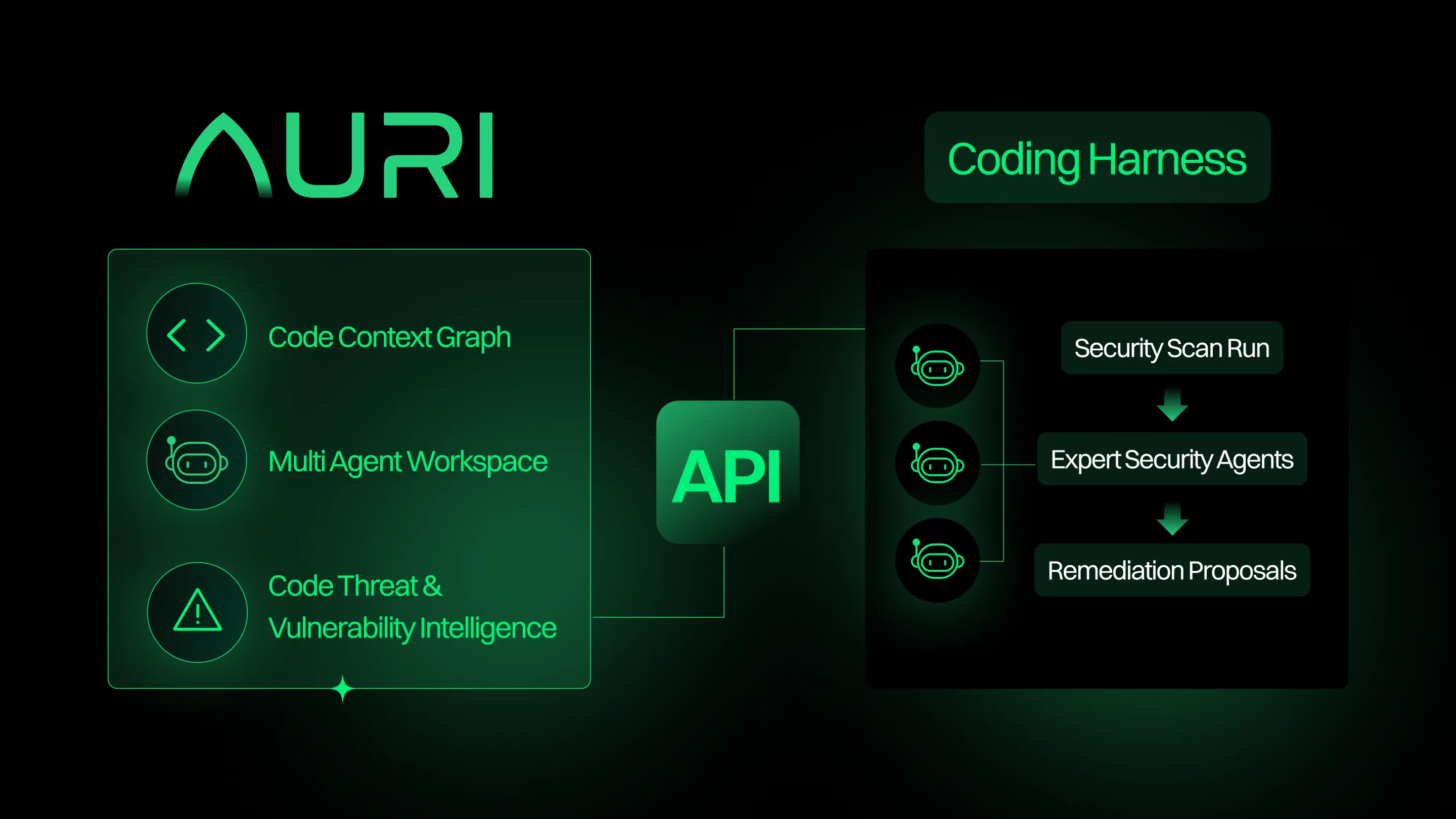
SAST that thinks like a security engineer

Intelligent static analysis that understands how your code works and what matters to your organization. Know what’s exploitable, what’s not, and how to fix it.
Loved by security teams, painless for developers at:

How it works

Cut through the noise
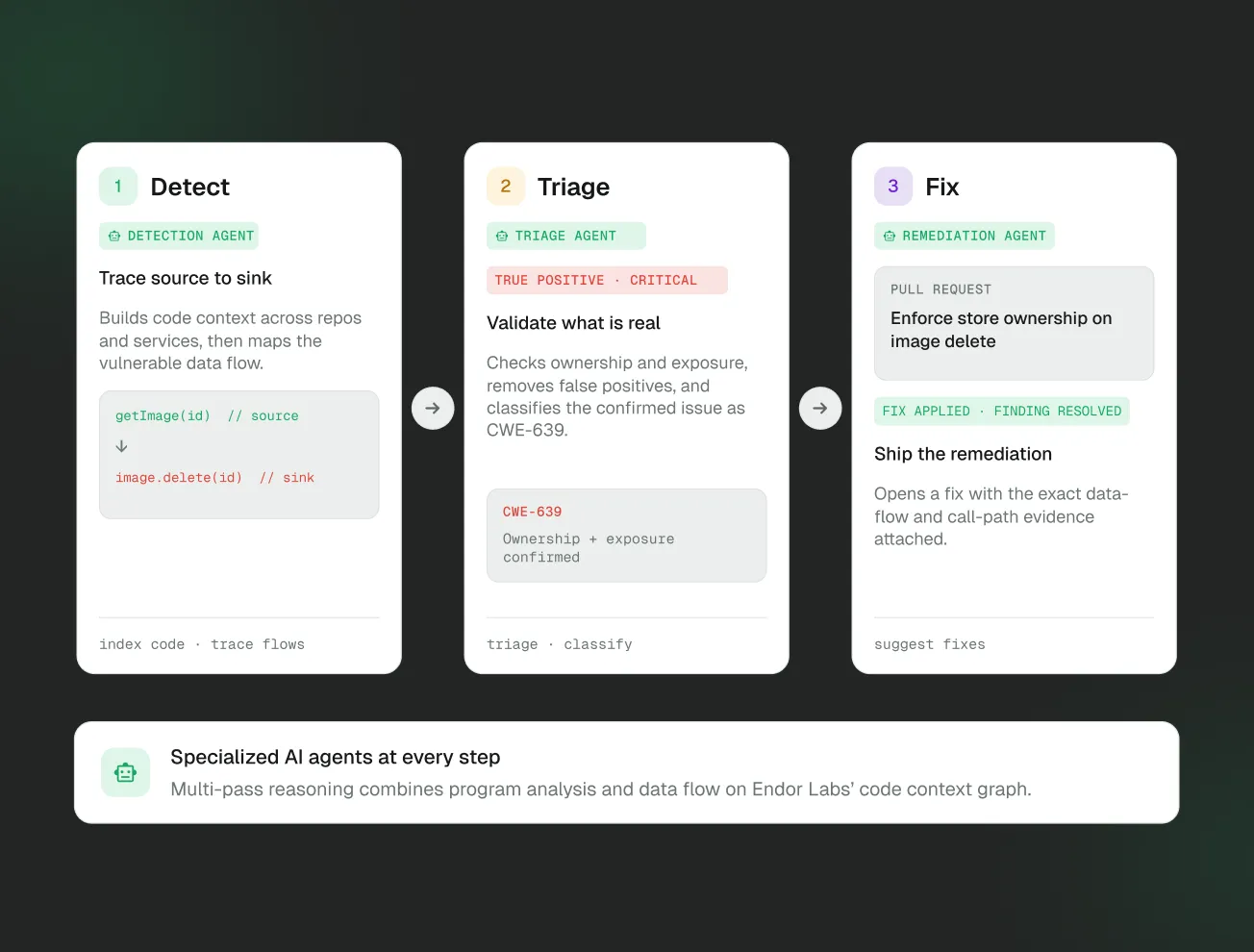
Automatically triage false positives using AI code analysis, including multi-file and multi-function dataflow validation.
Identify complex flaws
Go beyond traditional rule-based scanning to detect complex vulnerabilities like business logic and authentication flaws.
Fix issues at the source
Integrate directly into AI code editors to help developers and agents fix code before their first commit.
Software analysis is hard, and there's only one company [Endor Labs] that's doing it correctly.”
Paul Padilla
Head of Software and Infrastructure Security, Mysten Labs
Prioritize
Zero in on real security issues
Skip the manual research. Agents auto-triage findings by parsing syntax, tracing dataflow, and reasoning about context and logic so you only see issues that actually matter.
Reduce false positives: Agents validate findings and provide transparent evidence and reasoning for every decision.
Triage at scale: Drive the right action at the right moment using the Endor Labs’ policy engine—no more clicking through noisy finding feeds.
Adapt to your environment: Add custom prompts and rules to align agent behavior with your security policies, priorities, and threat models.
Identify
Detect auth and business logic flaws
Find complex logic flaws, broken access control, and other risks typically found in pentest reports and bug bounty programs.
Scalable coverage: Detect risks across your codebase without the overhead of rule creation and upkeep.
Catch risky changes early: Detect when pull requests alter your security posture in ways that could introduce exploitable logic flaws.
Ready for modern threats: Identify prompt injection and other LLM security issues without writing new rules.
Remediate
Fix code with context
Focus on high-signal, reachable findings and deliver precise, explainable fixes—right where developers work.
Fix at the source: Guide developers and coding agents to remediate issues directly within AI code editors, with full understanding of the surrounding logic.
Get smart fix suggestions: Generate context-aware fixes aligned with your codebase and ready for developer review.
Verify with confidence: Each finding includes the exact snippet, triggered rules, CWE reference, agent reasoning, and recommended fix—so every change is traceable and trusted.
Flowchart showing integration paths from GitHub, GitLab, and PHP to Slack and Microsoft platforms, with a C# icon connected to Slack.

Your Tools, Your Languages
All Secured

Lean how Endor Labs fits into your ecosystem.
Flow diagram connecting software development tools and platforms including .NET, JetBrains, GitHub, Google, and Vercel.

FAQs

What is the Developer Edition?

Developer Edition is a free tier that gives individual developers access to the AURI MCP Server and CLI. It includes SAST, SCA, secrets detection, and malicious open source package detection — the core scanning capabilities you need to write secure code from day one.

What does the MCP Server actually do?

The MCP Server connects AURI's security intelligence to your AI coding assistant. When you or your AI writes code, the server scans for vulnerabilities, insecure patterns, hardcoded secrets, and risky dependencies in real time — then helps fix them inline, right where you're working.

Which editors and tools are supported?

The MCP server works with Cursor, VS Code, Windsurf, Claude Code, and any MCP-compatible client. It also integrates with asynchronous AI tools like GitHub Copilot and OpenAI Codex for agent-driven workflows.

Is Developer Edition really free?

Yes. Developer Edition requires no credit card and no paid subscription. You authenticate once via GitHub, GitLab, or Google and you're up and running. There's no trial period — it's free to use, forever.

What kinds of scans does it run?

Developer Edition includes four core scan types: static application security testing (SAST) for code-level issues, software composition analysis (SCA) for dependency vulnerabilities, secrets detection for exposed credentials, and malicious package detection to catch supply chain attacks before they reach your environment.

Does my code leave my machine?

No. All scans run locally. The MCP Server accesses AURI's vulnerability database for intelligence (read-only), but your source code stays on your machine and is never uploaded to Endor Labs' platform.

How is this different from other free security MCP servers?

Most free MCP servers focus on code scanning alone. The AURI Developer Edition is the only free offering that combines code scanning (SAST and secrets) with full supply chain security — including CVE detection and malicious open source package identification in your dependencies.

Do I need to install anything besides the MCP Server?

No. The MCP Server fetches everything it needs on demand, including the Endor Labs CLI. There's no separate installation step, no pre-configuration, and no dependency management required to get started.

Can I use Developer Edition with my team?

Developer Edition is designed for individual developers. If your team needs shared policies, centralized reporting, or platform-level visibility, Endor Labs offers team and enterprise tiers that build on the same scanning engine with collaboration and governance features.

What's the difference between Developer Edition and the full Endor Labs platform?

Developer Edition gives you the core scanning tools — MCP Server and CLI — with default security policies and local-only results. The full platform adds a web UI, custom policies, centralized reporting, team management, and integrations with SIEM and vulnerability management tools for organization-wide security programs.